In Gulf markets where digital banking matured quickly, interest in the STC Pay application keeps rising for simple onboarding and fast access to wallet features.
Early adopters in Saudi Arabia and Bahrain moved from cash-heavy routines to biometric signup, national-ID checks, and instant in-app controls that fit everyday payments.
After government approval in 2021 to operate as a digital bank, the service continued evolving under the STC Bank name while preserving the same app-first experience. Practical steps below show exactly how to complete registration and verification without confusion.
What STC Pay Is
In 2018, Saudi Digital Payments Company launched stc pay as a mobile wallet tied to Saudi Telecom’s ecosystem and broader merchant partners. The service expanded quickly across the region, winning recognition as a leading digital wallet and later receiving formal approval to transition into a licensed digital bank.
In 2024 and 2025, the platform progressed under the STC Bank identity inside Saudi Arabia while keeping the consumer experience centered on the app and familiar features.
Expect everyday functions such as funding the wallet, paying bills, sending money locally or abroad, generating virtual cards, and tracking transactions in a clean, bilingual interface.
Who Can Apply and What You Need
Clear eligibility and correct documents make the fastest path to activation across both Saudi Arabia and Bahrain.
ID checks ensure the wallet links to the right person, while mobile-number rules protect account recovery and one-time passwords. A short preparation list helps avoid repeat uploads or rejections during verification.
Core Eligibility
In most cases, applicants must be at least eighteen years old and resident in the market where the account is opened.
Saudi applicants complete identity matching against national records and require a mobile number under their ID profile.
Bahrain applicants verify against the Civil Personal Record and confirm a local number capable of receiving SMS for one-time passwords.
Accepted Identification
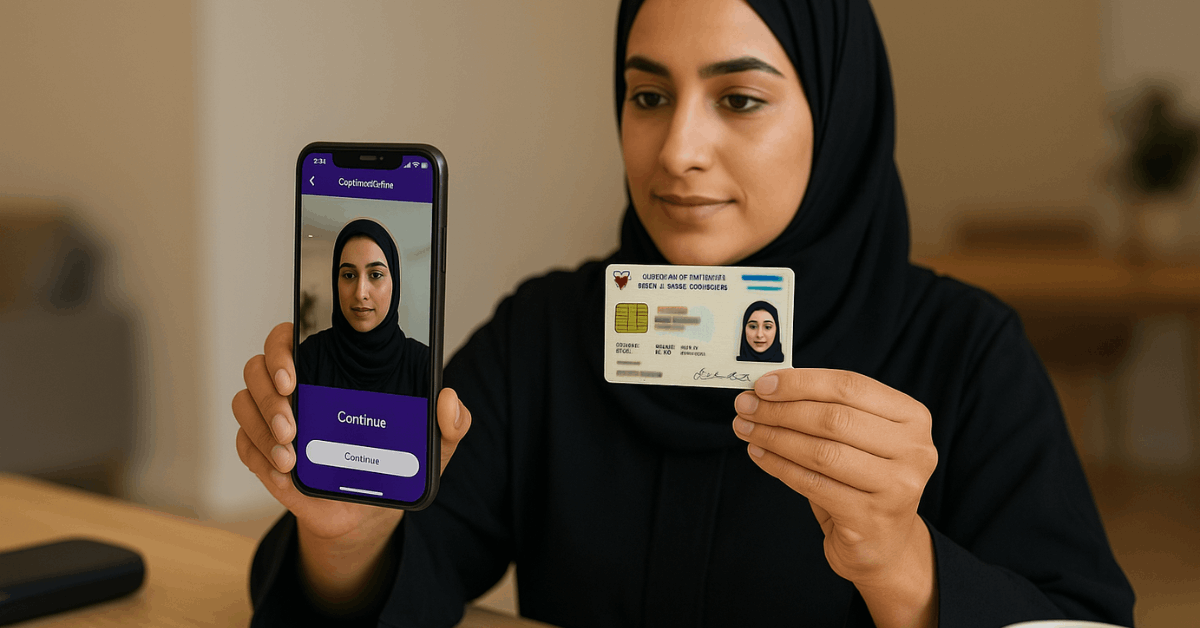
In Bahrain, the wallet uses your CPR card for identity checks, including front and back image capture and a live selfie.
In Saudi Arabia, the process aligns to government platforms through Absher or Nafath for digital ID confirmation and consent flows. Clear images, glare-free lighting, and readable text lines help the system pass verification on the first attempt.
Phone Number Rules
In both countries, a local mobile number helps with login codes, transaction approvals, and security alerts.
Saudi users must ensure the SIM registration matches their national ID to pass the Absher linkage. Bahrain users can proceed using any active local number that successfully receives SMS for verification.
Step-By-Step STC Pay Application Online
A straightforward flow lets you install the app, register your number, run the ID check, and activate key features.
Small differences exist between Saudi Arabia and Bahrain because government systems differ, though both paths complete in minutes when documents are ready.
Keep your ID available, prepare good lighting for the selfie, and confirm the exact spelling of your name.
Download and Install
On iOS or Android, search for stc pay or the STC Bank app, then install the latest version.
Notifications should remain enabled for one-time passwords and security prompts. Storage and camera permissions will be required to capture document images and selfies during verification.
Register and Verify
Open the app, enter your active local number, and set a strong password aligned to the on-screen complexity rules. In Bahrain, capture the CPR front and back, then complete a liveness selfie to match your ID.
In Saudi Arabia, link your Absher profile by entering the Absher username and password when prompted, then approve the request through the official channel.
Strong matches typically lead to immediate account status upgrades that unlock deposit, domestic payments, and STC Pay international transfers.
Activate and Start Transacting
After verification, finish personal details, confirm preferred language, and review privacy notices.
Funding can come from supported cards, bank transfers, or cash-in options where available. Once funded, you can pay bills, send money to contacts by mobile number, and generate a virtual card for online purchases inside minutes.
Fees, Limits, and Timelines
For transparency, pricing appears inside official disclosures in the app and product pages, including card issuance rules, transfer charges, and foreign exchange margins.
Limits vary by verification tier; higher tiers generally require full Absher linkage in Saudi Arabia or complete CPR checks in Bahrain.
Activation typically finishes the same day, while international transfers may require additional compliance checks depending on recipient corridor. Clear in-app notices confirm any remaining steps, and support channels respond quickly to stalled verifications or mismatched details.
Features and Daily Use
Everyday money movement remains the core value: top up the wallet, pay utility bills, and settle telecom charges without visiting a branch. Domestic and cross-border transfers run through guided screens that show fees and estimated delivery times before confirmation.
For rewards, integration with STC Pay Qitaf lets eligible customers earn or redeem points on activity tied to the STC ecosystem.
Families can issue additional cards for controlled spending, while budgets, spending insights, and real-time notifications improve awareness. Security includes PIN, biometric login, device binding, and one-time passwords on sensitive actions.
STC Pay For Businesses
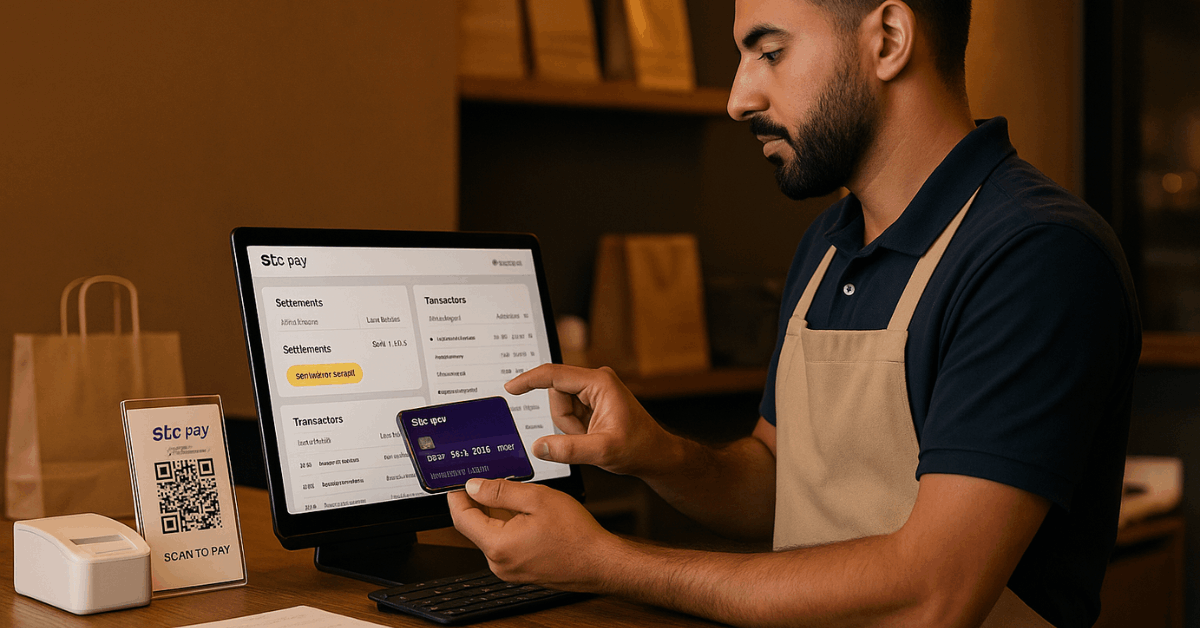
Merchants and sole proprietors gain faster settlement visibility, branded receipts, and a central dashboard for reconciliation.
Activation does not require a technician visit for most use cases, and onboarding aims to keep requirements light while meeting local regulations.
Clear fee schedules are shared during signup, and support teams assist when documentation or category codes need updates.
Merchant Onboarding Basics
Merchant signups begin inside the official portal or app, followed by entity checks, bank-account confirmation, and acceptance of pricing terms.
Required documents differ for sole proprietors, companies, and marketplace sellers, though identity validation and lawful business purpose are common across segments.
Once devices or software credentials are issued, card or wallet acceptance can start immediately.
Payment Acceptance and Tools
Merchants can request payments through QR codes, links, or integrated checkout options that support cards and wallets.
Features include refunds, transaction-level notes, and exportable reports for accounting systems. Payroll support for domestic workers and B2B transfers aligns to local initiatives, including Musaned in Saudi Arabia for compliant salary payments.
Common Mistakes and Quick Fixes
Short setup times encourage rushing, yet most delays trace back to avoidable errors. Use this quick checklist to stay clear of the usual traps.
- Names on the app, ID, and SIM registration differ; align spelling and order before verification.
- CPR or national ID images appear blurry; retake photos on a flat surface under bright, glare-free light.
- Absher credentials fail during linkage; reset through official channels, then retry inside the app.
- Funding methods keep failing; confirm card 3-D Secure status and daily limits with the issuing bank.
- Compliance review stalls international transfers; upload requested source-of-funds documents promptly in the secure channel.
Security, Verification, and Compliance
Financial platforms in Saudi Arabia integrate tightly with national digital identity tooling to reduce fraud and improve onboarding speed. Absher and Nafath enable a secure handshake that confirms your identity and authorizes the release of specific data elements to the wallet.
One-time passwords protect every sensitive action, while device binding and biometric checks add an additional layer when opening the app or approving payments.
Disputes, chargebacks, and refund workflows follow familiar card-network standards, and in-app customer service can guide next steps if a transaction appears unfamiliar.
FAQs
You might ask these questions along the way:
- Does The Service Operate As A Digital Bank In Saudi Arabia?
In 2021, authorities approved a banking license for stc pay, paving the way for a digital bank transition. In 2024 and 2025, the service advanced under the STC Bank identity after completing a pilot phase and receiving the green light to commence operations. - Can International Transfers Start Immediately?
Initial domestic usage typically activates soon after verification, while cross-border transfers may require extra checks. Source-of-funds documents, employment status, and recipient details help compliance teams assess the corridor. - Are Loyalty Points Available?
Customers tied to STC’s loyalty ecosystem can connect the wallet to Qitaf and earn or redeem points on eligible activity. Availability depends on market and product setup, so check the app for current options. - Is There A Family Option?
Family spending can be controlled using additional cards with adjustable limits inside the app. Notifications and category controls provide oversight without removing day-to-day flexibility. - Where Are Fees Shown?
STC Pay fees appear within app disclosures and product pages during onboarding. Review the screens carefully and confirm your billing preferences and notification settings before completing activation.
Conclusion
In Saudi Arabia and Bahrain, STC Pay now operates as STC Bank while keeping the same app-first flow.
Finish verification using Absher or CPR, align your SIM and ID, and enable biometrics for secure access. Enroll required features, review fees and transfer limits inside the app, and set monthly alerts for activity.
Start locally with bills and wallet transfers, then add cross border remittances once compliance checks clear. Treat accurate documents and clean merchant coding as the fastest route to uninterrupted service.