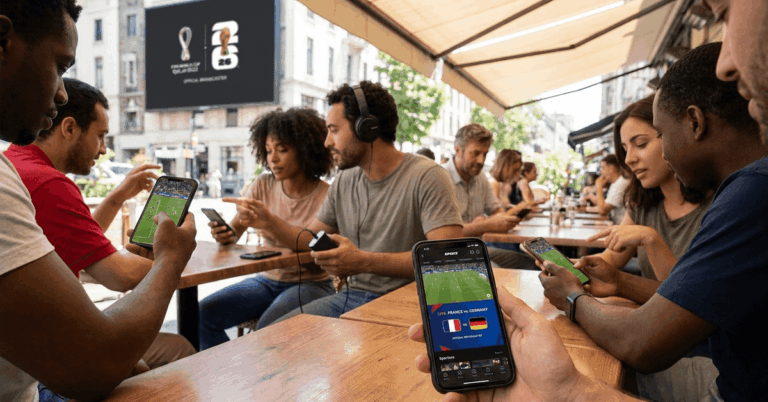
Stream the 2026 World Cup on Mobile Without Risky Links, Hidden Costs, or Match-Day Chaos
Choose an Option:

Why Choosing the Right Streaming Path Matters
Choose the best option for your profile
- Stop clicking shady links: Unofficial streams can bring malware, pop-ups, broken video, and stolen data risks.
- Avoid last-minute panic: Official apps and broadcaster schedules help you know where to watch before the match starts.
- Watch with fewer interruptions: Legal platforms usually offer better playback, clearer quality, and more stable access.
- Protect your device: Safe apps from trusted sources are the smarter choice for live sports on mobile.
How We Help You Make the Right Choice
This page cuts through the noise and points you toward the safest viewing options based on your country, device, and match access.
- We highlight official mobile apps from broadcasters and public streaming services.
- We explain why FIFA+ can be useful for highlights, replays, interviews, and selected content.
- We show what to check before match day: geo-blocks, app updates, account requirements, and stream schedules.
Get Started in 3 Easy Steps
- Check your local broadcaster first – Look for the official app or website that owns World Cup rights in your country.
- Install only trusted apps – Use official app stores and avoid random “free match” links.
- Prepare before kickoff – Update the app, test your connection, enable alerts, and keep a backup replay option ready.
Ready to Watch Smarter?
Do not let fake streams, blocked pages, or low-quality links ruin the biggest football tournament in the world.
Choose an option above, follow the guide, and set up a safer mobile viewing plan before the first whistle.
How Does the Selection Process Work?
Our process helps you find the best free and legal mobile viewing route based on location, language, and available broadcast rights.
Start with your country
World Cup access depends on local rights, so your location decides which official apps may work.
Match the app to your needs
Live games, highlights, replays, commentary language, and accessibility features can vary by platform.
Avoid risky shortcuts
Unofficial free sites may look tempting, but they often trade convenience for malware, bad quality, and privacy risks.
Start Now and Watch the 2026 World Cup With Less Stress
Free World Cup streaming can be simple when you use legal apps, check broadcaster access early, and prepare your phone before match day.
Start with the guide, choose the safest option for your location, and follow every match with fewer risks, fewer interruptions, and more control.